

Your family’s pick
The companion you chose in the parent app.
Meet KidsEmbrace Companion
A voice companion your child can talk with on family rides, made for children up to 11 and set up by a parent.
I heard you like space. If you could visit any planet today, which one would you pick?
Saturn! Because of the rings.
Great pick. What do you think it would feel like to walk on one of those rings?
Bumpy! Like a road made of ice.
For your child
Your child talks with the companion your family chose. Each conversation is shaped by their nickname, age band and interests, and by a tone you set.
The companion you chose in the parent app.
Their age band guides the conversation.
Their interests shape what they talk about.
Encouraging, calm, playful or curious.
How it works
Real screens from the parent app. The full walkthrough is on the How It Works page.
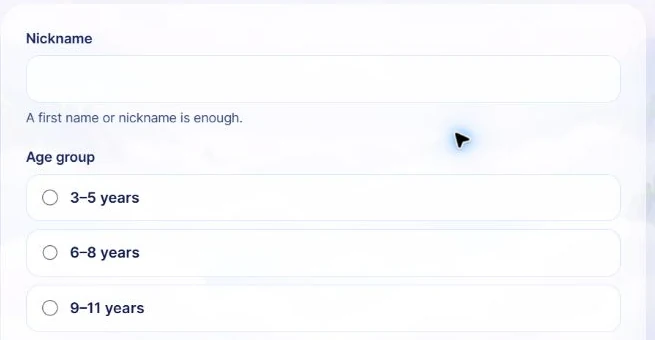
A parent creates the family and adds a profile for each child.

Pick a companion for your child.
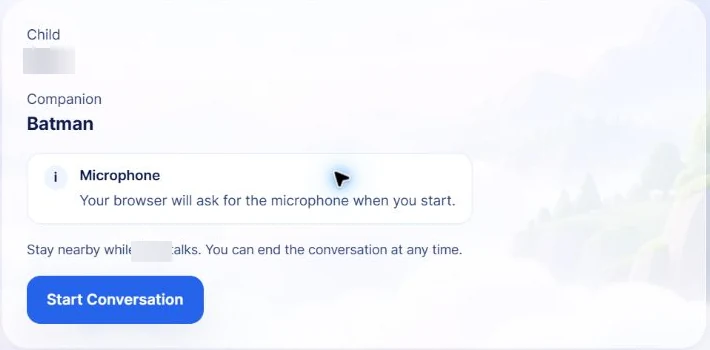
You start the session, your child talks with the companion, and you end it.
Parent control & safety
Adults handle setup and settings in the parent app. A parent checks the microphone and audio, then starts and ends every session.
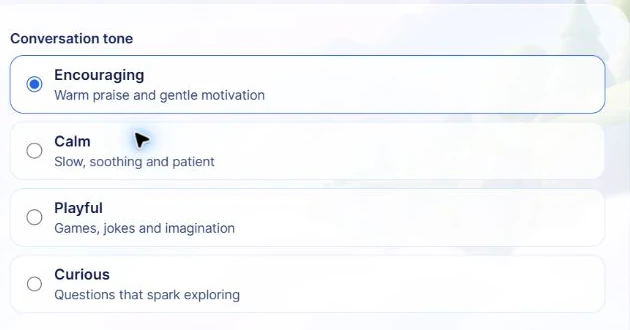
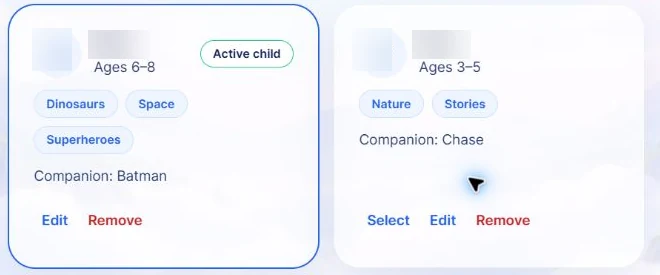
A look at the parent experience
Everything you set up lives in one place: your family and its members, each child’s profile and the companion settings.
Good to know
Clear answers for parents, drawn from our FAQ.
KidsEmbrace Companion runs in a browser and uses your device’s available audio output. It does not require a direct connection to a car seat.
Your child can talk with the companion your family chooses. Their age band and interests, along with a tone set by a parent, shape the conversation.
Adults manage each child profile. The parent app shows basic session history without displaying recordings or transcripts. Read the Privacy Policy for details about information and choices.
Create a parent account in the parent app, set up your family and child profile, then choose a companion.
Privacy at a glance

A little magic for the miles ahead
Create a parent account and set up your family in the parent app.
Get Started